
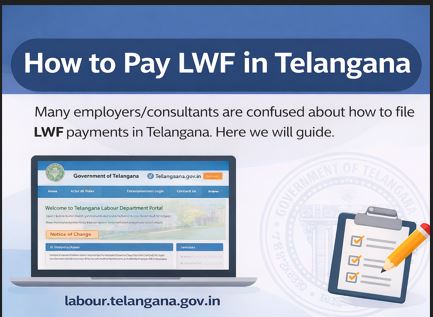
How to Pay LWF in Telangana
How to Pay LWF in Telangana (Step-by-Step Guide)
Many employers and compliance consultants face confusion when it comes to paying Labour Welfare Fund (LWF) in Telangana. Unlike some other states, Telangana LWF payment is linked with the Shops & Establishments Act portal, which often leads to uncertainty about the correct process.
This article provides a clear, practical, step-by-step guide to help you complete Telangana LWF payment correctly.
Why This Confusion Happens
In Telangana, LWF payment becomes available only after updating employee strength through the Shops & Establishments Act – Notice of Change. Until this amendment is completed, the LWF payment option does not appear on the portal.
Step-by-Step Process to Pay LWF in Telangana
Step 1: Open the Telangana Labour Portal
Visit:
👉 https://labour.telangana.gov.in/Entrepreneur.do
Step 2: Login
Login using your ID and Password
Use the same credentials as your Shops & Establishments registration
Step 3: Go to Services
- Click on Services
- Select The Shops & Establishments Act
- Click on Notice of Change
- Then click on “Click here to proceed for online amendments”
Step 4: Validate Registration
- Enter Registration Certificate Number
- Click Validate
- Upload the Previous Registration Certificate
Step 5: Update Employee Count
- Select “Do you want to change Total No. of Employees Count?” – YES
- Update Male / Female employee count
- Upload Employee List in PDF, duly:
- Signed by Authorized Signatory / Employer
- Submit the application
Step 6: Pay Amendment Fees
After submission, amendment fees must be paid based on employee strength.
Fee Structure for Amendment (Contractor / Establishment)
| S. No. | Employees Between | Amount |
|---|---|---|
| 1 | 0 | ₹100 |
| 2 | 1 – 5 | ₹500 |
| 3 | 6 – 10 | ₹1,000 |
| 4 | 11 – 20 | ₹2,000 |
| 5 | 21 – 50 | ₹5,000 |
| 6 | 51 – 100 | ₹10,000 |
| 7 | 100 and above | ₹10,000 + ₹5,000 for every additional 50 employees |
Step 7: LWF Payment Option Appears
- Once the Notice of Change is approved and amendment fee is paid:
- Login again to the portal
- The LWF payment option will appear on the Home Page
- Proceed with LWF challan generation and payment
Important Practical Points
- Employee list must be latest and accurate
- PDF should be properly signed
- LWF option will not appear immediately until amendment is approved
Keep:
- Amendment acknowledgement
- Payment receipt
- LWF challan copy for audit records
Conclusion
In Telangana, LWF payment is not a standalone process. It is system-driven through the Shops & Establishments Act – Notice of Change. Once employee strength is updated and amendment fees are paid, the LWF payment option automatically becomes available.
Following the above steps will ensure smooth, error-free LWF compliance and avoid unnecessary portal issues.
Need Help?
If you need assistance with:
- Telangana LWF filing
- Shops & Establishment amendments
- Compliance audit support
- Multi-state LWF management
👉 Feel free to contact us for expert support.